Here are some notes.
The scheduling system automatically figures out if the current user is the
leader of one or more of the groups (??or individuals??) listed in the
attendees list, and if so prompts with a confirmation that asks if the meeting
should be penciled in on those users' calendars.
I'm thinking that we may want to keep it simple here and only allow pencil-in
when meetings are scheduled for registered groups. So here's a plausible rule:
in the confirmation dialog, the following information/questions are included:
(1) You are a leader of the following group(s) whose attendance you've
requested; do you want to pencil-in for them? (2) You do not have pencil-in
authority over the following user/group calendars: ... ; do you want to send
email notices announcing the meeting to these users? (3) the following
individually listed attendees are also in one or more of the listed groups: ...
; the pencil-in or email notice will be done only once for these users.
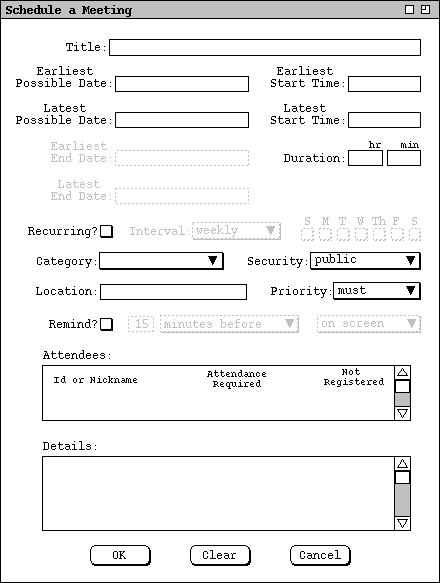
Also note that the dialog for scheduling a meeting is quite similar to
scheduling an appointment. In particular, the following fields are exactly the
same in both dialogs: Title, Recurring, Category, Priority, Location.
2.5.1. Simple Case
Sketch: show a scheduler going through the process without encountering any
difficulties. The steps are:
The next three figures are the dialogs for each of these steps.
Figure 54: Meeting request dialog.
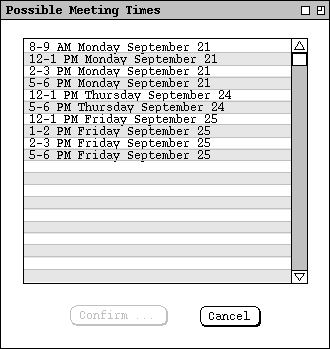
Figure 55: List of possible meeting times.
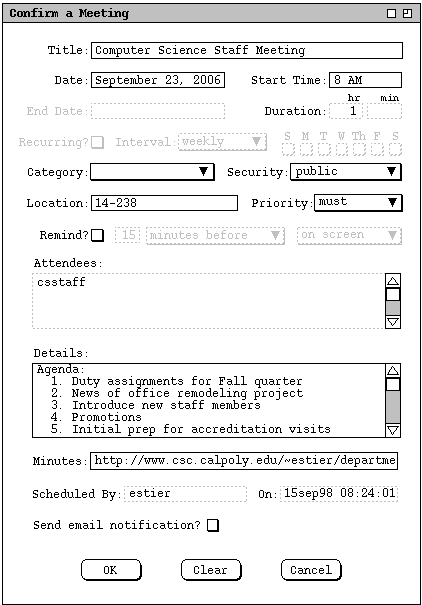
Figure 56: Meeting confirmation.
In this detailed case, show the scheduler encountering some difficulties, and having to adjust scheduling options.
Shown below are some screen shots with key ideas. The narrative needs to
be developed around these.

Figure 57: No times found dialog.
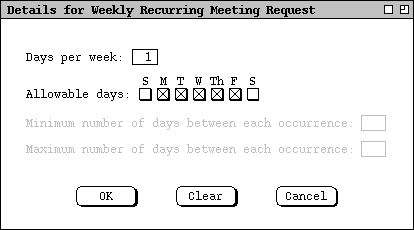
Figure 58: Details of a weekly recurring schedule.
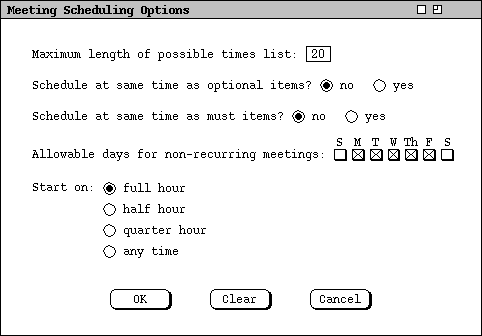
Figure 59: Meeting scheduling options.
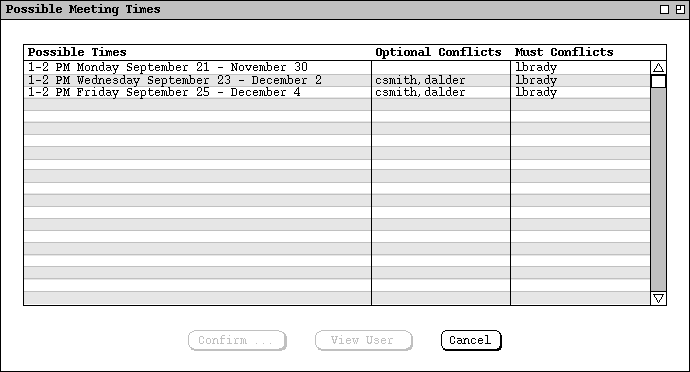
Figure 60: Possible meeting times with one or two faculty unable to attend.
Basically, the same rules should apply as for individual meetings
(see Section 2.4.6),
but with the wider-ranging consequences of having to notify all
participants.