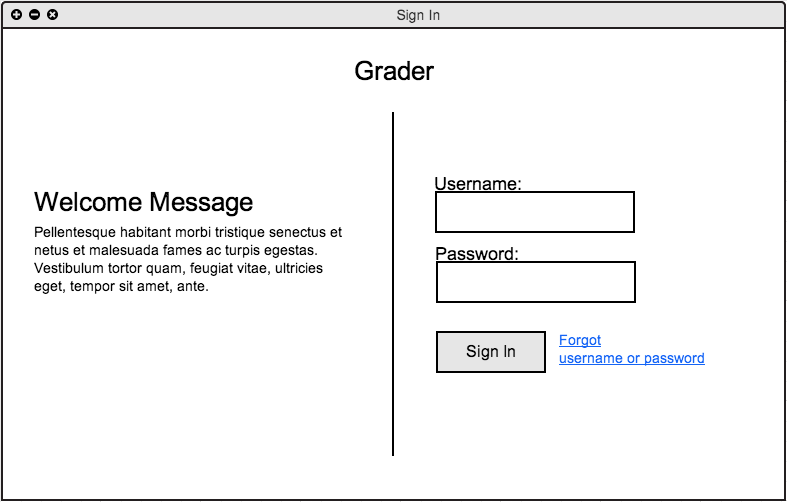
Figure 2.7.1 A - Student Sign In
A student has just opened the Grader application and is presented with a login screen.
Figure 2.7.1 A - Student Sign In
The sign in window has a title, welcome message, and a form where the student enters his/her sign in credentials to be accepted or denied with proceeding with Grader.
The student fills out the sign in form with a username "sshaginyan" and a password and clicks "Sign In". Note. Both username and password have constraints during registration. Ex. A username must be at least six characters long and at most ten characters short.
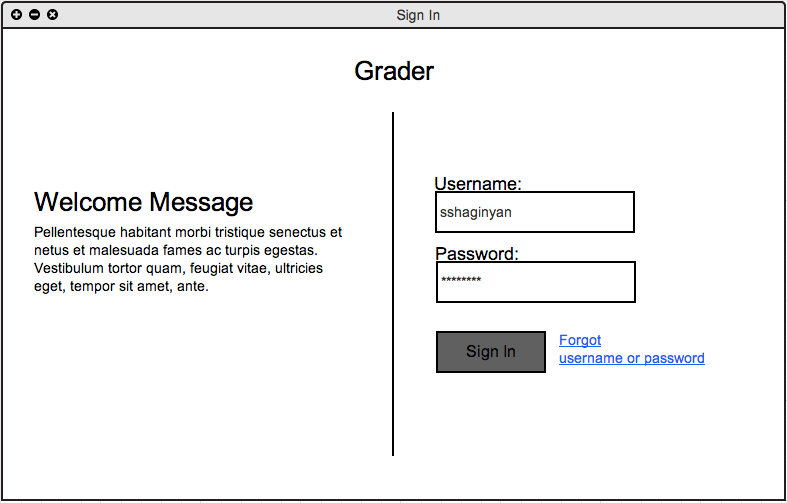
Figure 2.7.1 B - Filled Sign In Form & Submitted
If the students credentials were valid, the student is directed to the course selector. However, if the credentials entered were invalid, an error message is displayed.
The student clicks "Sign In", An error message appears stating the invalidity of the users credentials.
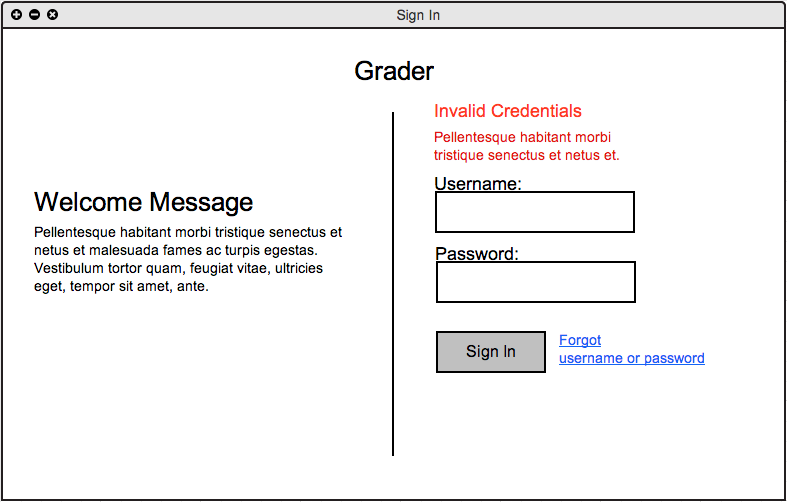
Figure 2.7.1 C - Invalid Credentials Message
At this point the student will either retry his/her credentials or press Forgot username or password.