2.4.1. Preview Exams
To preview an exam, the instructor first clicks on the Handling tab. Once he selects the Handling tab, the system displays a window
in the form of Figure 2.4.1a.
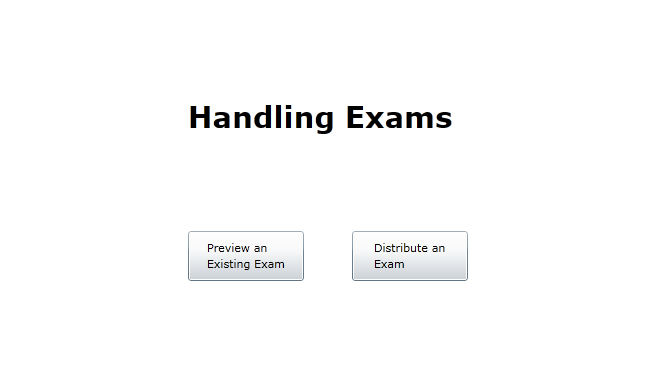
Figure 2.4.1a: Initial UI.
The instructor then clicks on the Preview an Existing Exam button. Once the instructor selects that button, the system displays a figure in
the form of Figure 2.4.1b.
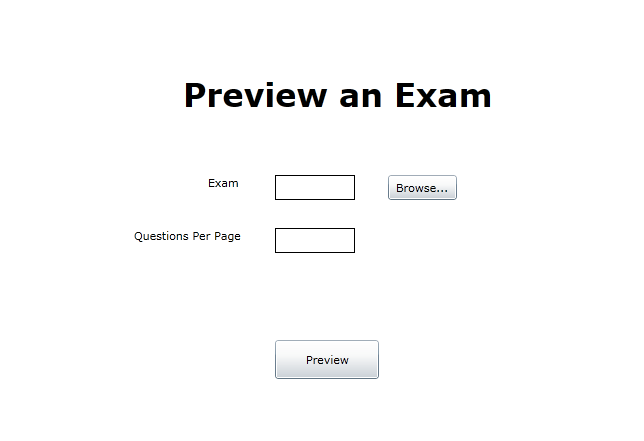
Figure 2.4.1b: Picking an Exam to Preview.
The Exam field represents which exam in the exam database that the instructor would like to preview. The Questions Per Page field
enables the instructor to indicate how he wants the exam to be formatted, specifically in how many questions appear per exam page.
The instructor then clicks the Preview button. Upon clicking that button, the system displays
Figure 2.5.1. The instructor then takes the test, as provided by the exam database, that he selected.
For information regarding the test taking process, see Section 2.5.
Prev: [none]
| Next: distribute
| Up: handling
| Top: index