Each student has two layers that are available for annotation at any time: one private layer and one public layer. A student's public layer is always available for the instructor to show to the rest of the class, while the student's private layer is intended to be a temporary workspace or personal note-taking area that cannot be viewed by anyone else in E-Class. By default, students annotate their public layer, with the assumption that the rest of the class may view the material if the instructor chooses to display the layer. If a student intentionally decides that they want to make an annotation that is not potentially visible to the instructor or the rest of the class, they may switch the private layer toggle in the annotation toolbar, as shown in Figure 2.3.1.1. The annotations on a student's unselected layer are automatically faded out (shown in Figure 2.3.1.2) in order to quickly indicate to the user which of the two layers are active.
In this example, a student made several notes on a slide with a few simple lines of code. He wanted to make an effort to remember the necessary ampersand before a variable when using scanf, so their "remember!" note was made while on the private layer. He then switches the private drawing toggle off and makes some extra annotations that might be relevant to the rest of the class. The result, as he sees it, is shown in Figure 2.3.1.2.
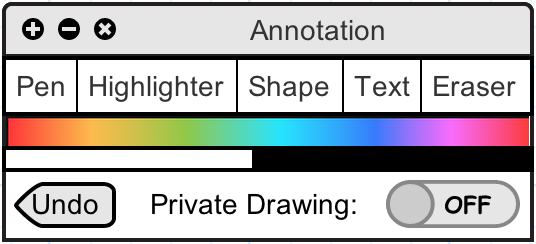
Figure 2.3.1.1: The annotation toolbar containing the private drawing switch
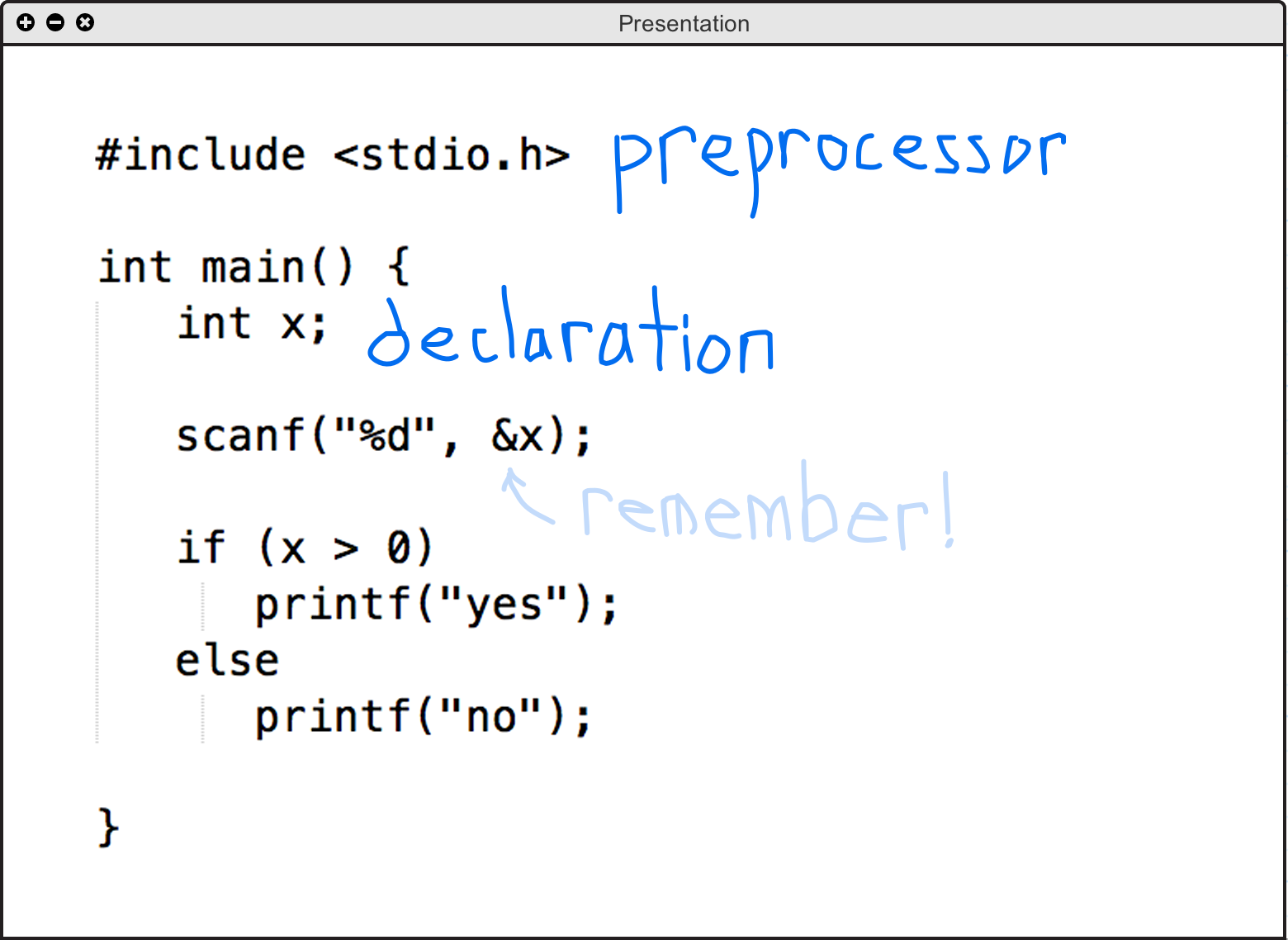
Figure 2.3.1.2: An annotated slide showing a student's public layer and their (deselected) private layer