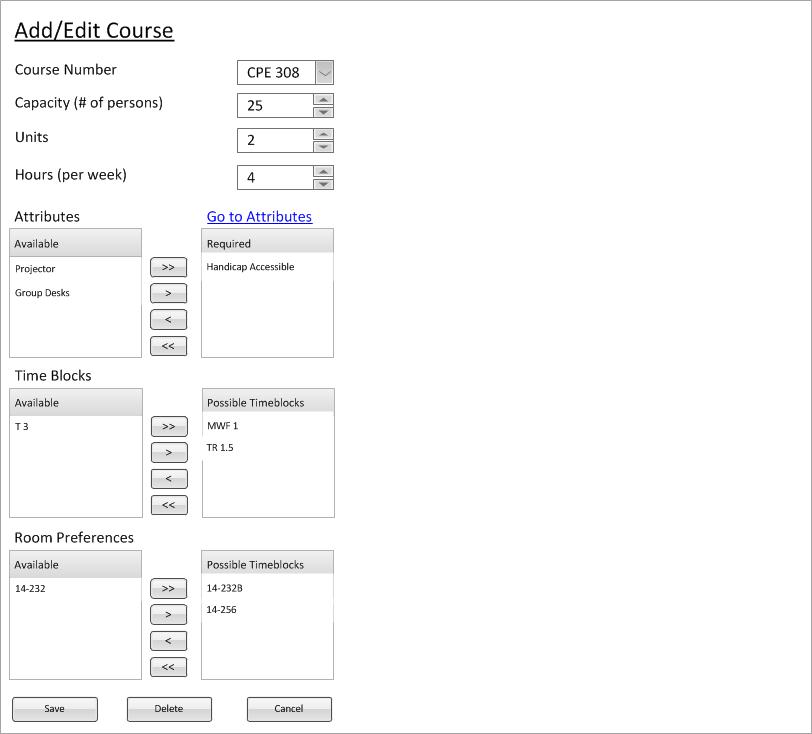
After the user selects a single course from the Nav Bar, explained in 2.1.3, the window is filled with information for that single course. See figure 1 what is seen after selecting a single course.
Figure 1: Single Course Selected
This figure is where the modify/delete scenarios start. They fully explain the functionality and how to go about changing the course database. Most of the scenarios are based upon single course selection, however the Deepthought scheduler allows for multiple courses to be edited at the same time. For multiple course selection functionality explained in more detail, use the "Next" link at the bottom of the page.
When you select a single course, everything that is done inside the context window is preparing to modify a single course. The scenarios for modify and delete cover these cases and thus will not be explained.