Students have the same tools as Instructors to navigate through presentations: the navigation bar and outline. It is important to note, though, that a student can navigate through the presentation without it affecting the class view of the presentation. For example, if a student were watching the presentation shown in section 2.4.1, pressing the "Next" button would advance the student to the slide slide "What is a program?", but the rest of the class would still be viewing slide "Introductory course materials".
Another important feature to note is the clearing of a layer when the student advances slides. For example, if the student is taking notes on the slide "What is a program?", as shown in the first part of Figure 2.4.2.1, pressing the "Next" button will produce the result as seen in the second part of Figure 2.4.2.1.
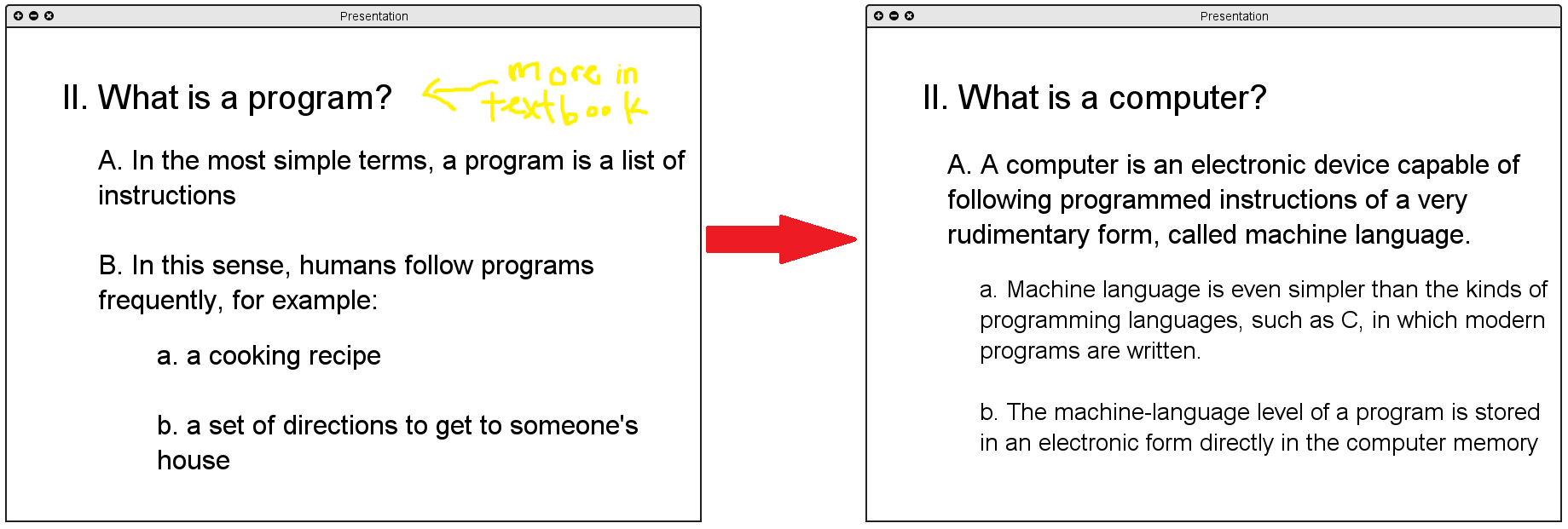
Figure 2.4.2.1