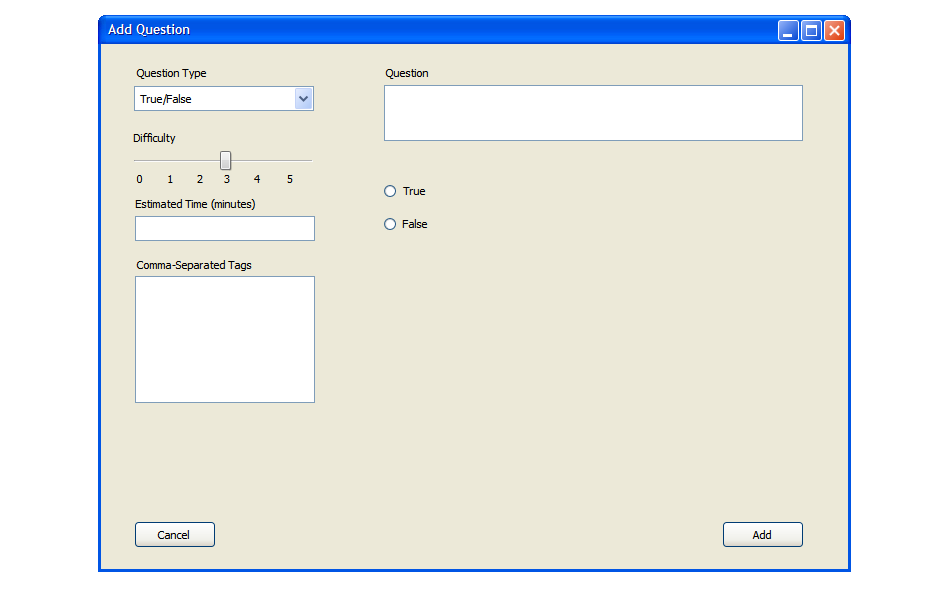
After selecting True/False, a prompt appears on the right of the screen
which contains a space for entering the statement and two radio buttons
for selecting whether it is true or false. Figure 3 shows this. The user fills in
all the question information including difficulty, estimated time, and any tags he
wishes to associate with the question. Then he fills in the question/statement and
designates whether the answer is true or false (Figure 4). The user clicks 'Add' to
add the question to the question bank.
Figure 3: Screen showing how to enter a T/F question. The drop-down menu is expanded superficially.
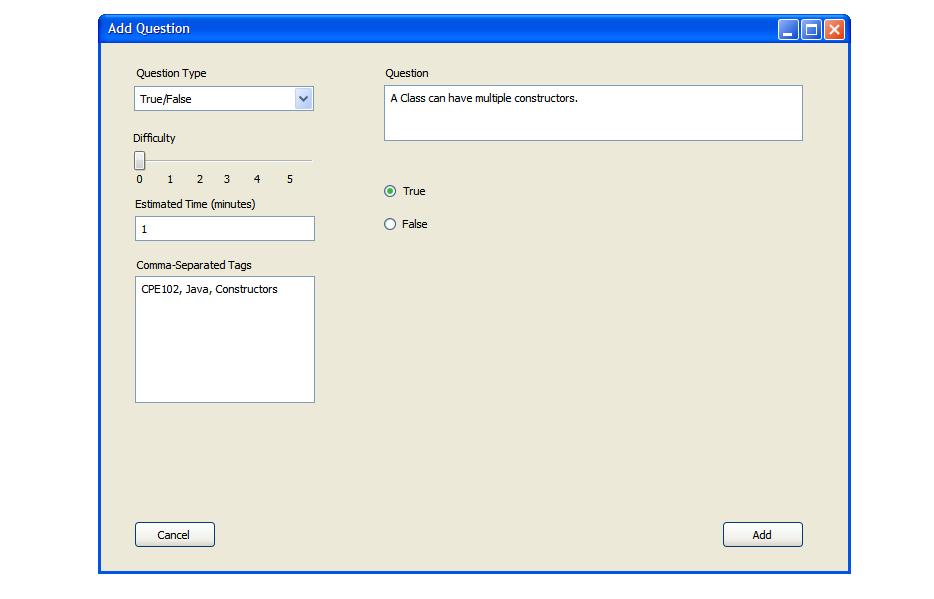
Figure 4: Screen showing a completely filled in T/F question.
Once the user selects 'Add', the question is added to the question bank as shown in Figure 5.
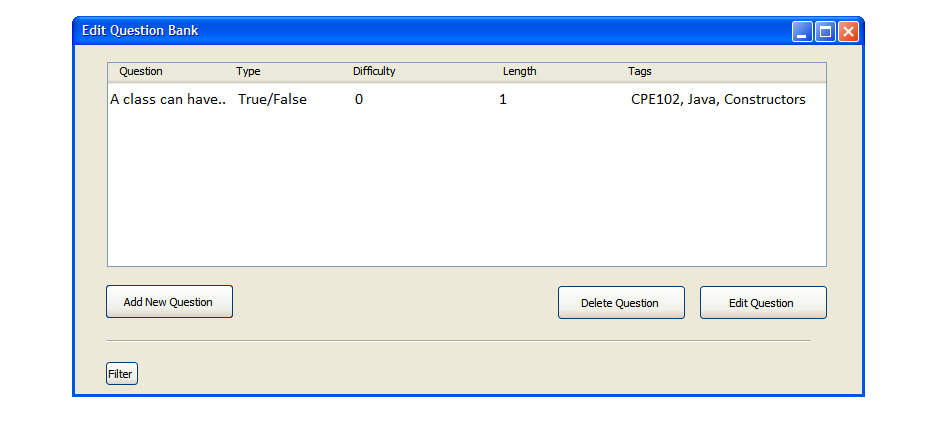
Figure 5: A True/False question added to the Question Bank