The scenario in this section illustrates an individual user creating a test.
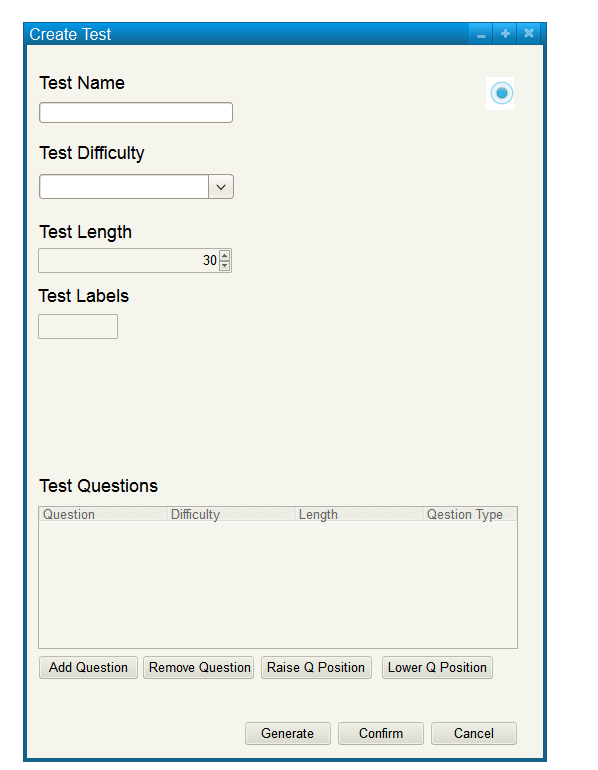
When the user selects Create Test from the Manage Tests menu, the system displays the dialog shown in Figure 3.
Figure 3 shows an unpopulated test creation window.
Figure 3: Create test dialog.
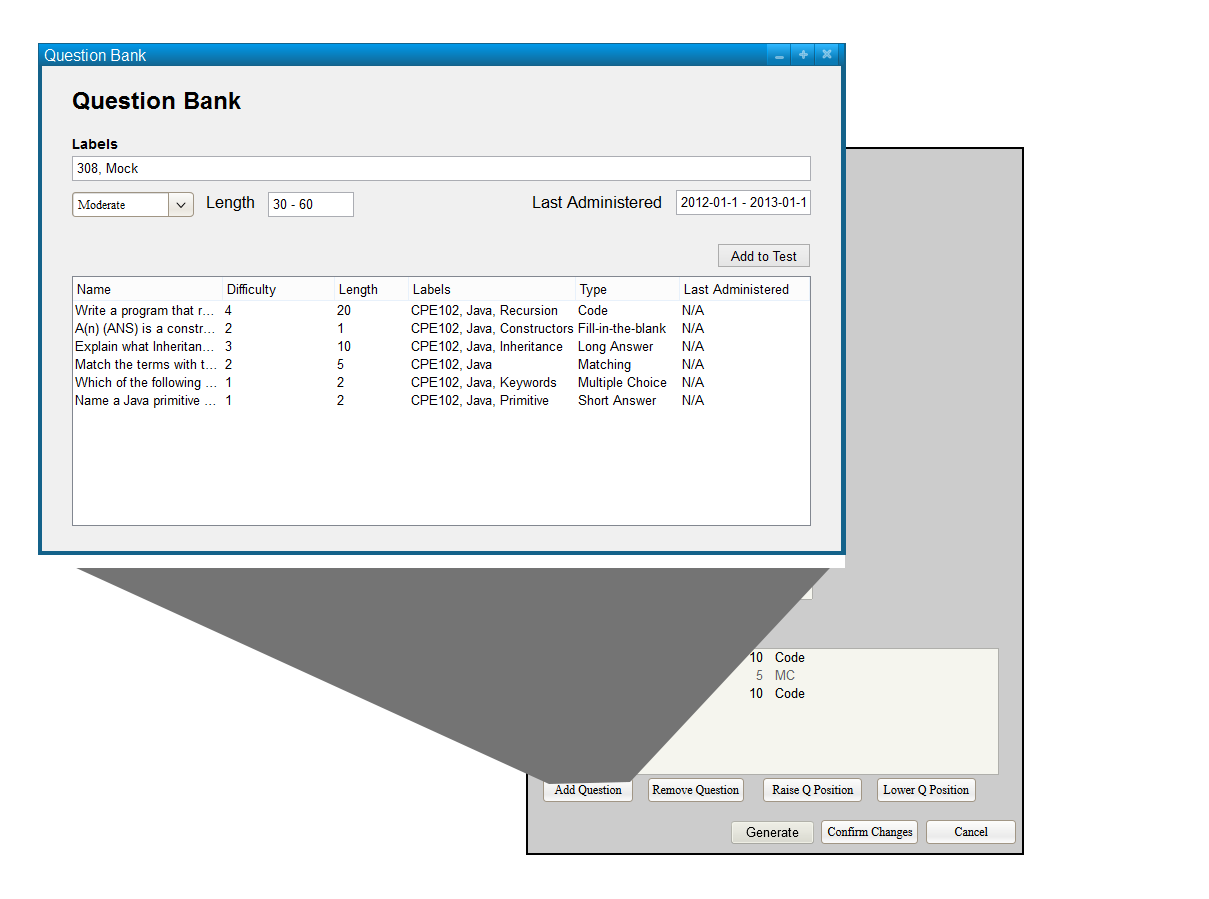
Figure 4: Adding a Question to The Test Dialog.
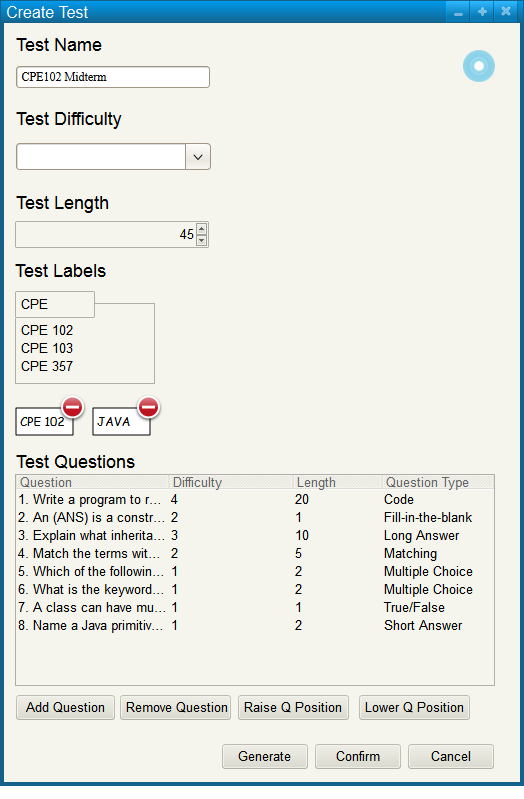
Figure 5: Populated Create Test Dialog.
The user may raise and lower question positions using the raise question and lower question buttons, respectively.
The user may remove a question by selecting a question from the list and pressing remove question.
Confirming changes to the test will return the user to the manage tests menu and will have added the newly created test to the list.