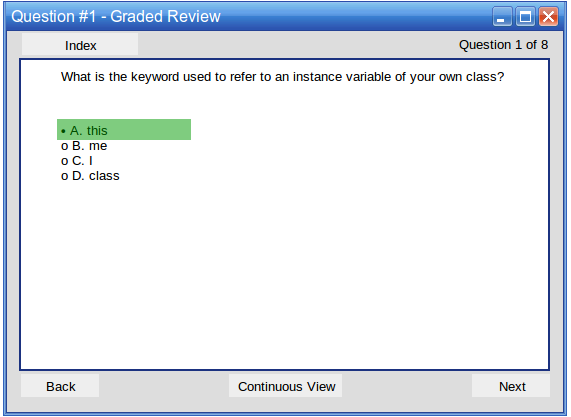
When reviewing a graded test question, the user sees the question prompt as it was in the test with more feedback. There is no time limit.
The user's answer/s is bolded and is highlighted by either a green or red background. Green indicates a correct answer, red indicates an incorrect answer. The correct answer/s is also indicated by a green background, if the user did not select all correct answers.
Figure 1: A correct graded Multiple Choice question
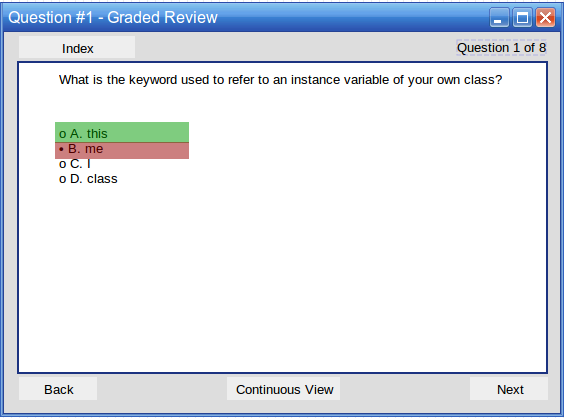
Figure 2: A incorrect graded Multiple Choice question
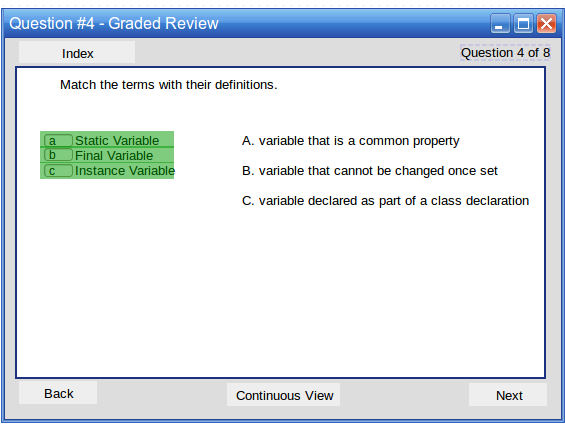
Figure 3: A incorrect graded Multiple Choice question w/ multiple answers
If the question requires manual instructor grading and has not yet been graded, the review shows a message saying that it is waiting for instructor feedback before showing a grade.
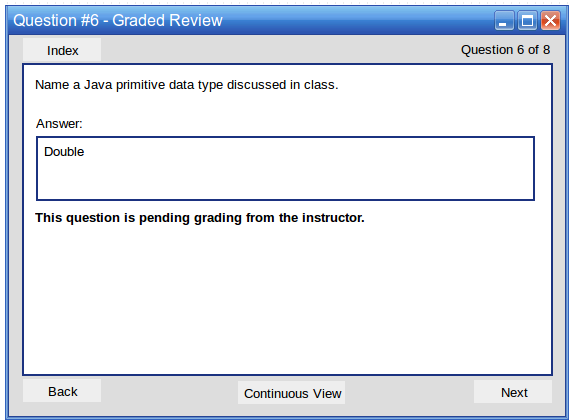
Figure: An ungraded short answer question
If the question requires manual instructor grading and has been graded, the review shows the score received and any comments from the instructor about the answer.
If the test question is auto-graded, the instructor comment may be a canned response for a specific answer. This allows for the user to receive automatic feedback beyond just a grade on a question.
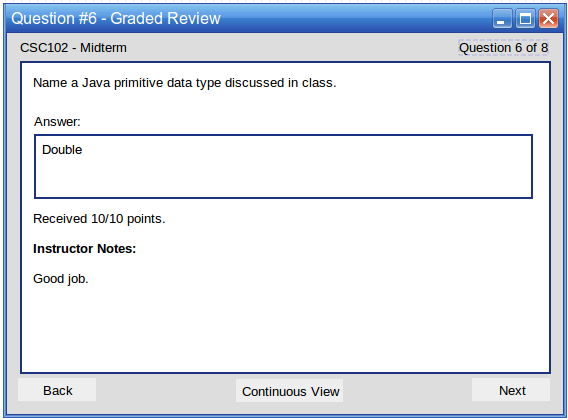
Figure: A graded short answer question