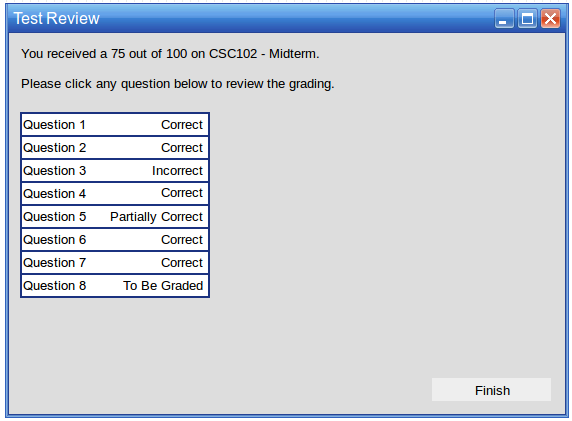
After clicking the Submit button at the end of a test review for a test that is automatically graded, the user may review the graded test results. All questions are shown graded as either Correct, Incorrect, Partially Correct, or To Be Graded. To Be Graded means that the question requires instructor action before its final grade is determined.
No grade is finalized until the instructor has reviewed the test and signed off on the grade.
The user may click any question to review it and see what feedback the graded test has for their answer.
Figure 1: Graded Test Review.