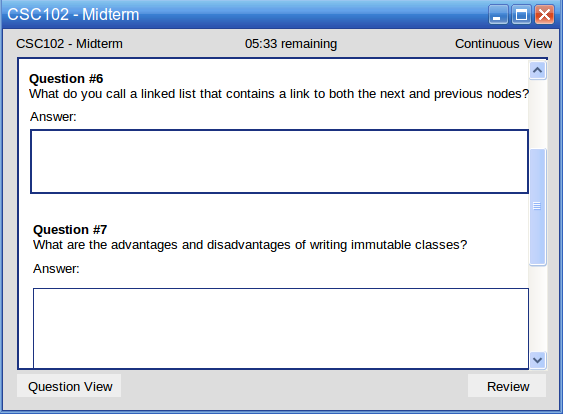
When the user clicks on the Continuous View button on question window, they are taken to Continuous View mode. This allows all of the questions to be displayed in a continuous stream to the user, rather than question by question.
Figure 1: Continuous View.
The user scrolls through the questions using the scroll bar on the right. The question displays exactly as it would in the Question View, except the questions are ordered sequentially under one another.
The user may click the Question View button to return to the single question view described in the rest of the requirements.
The user may click the Review button to move to the test review where they see their status on the questions and can submit their test.