2.3.4. Organizing the Question Bank
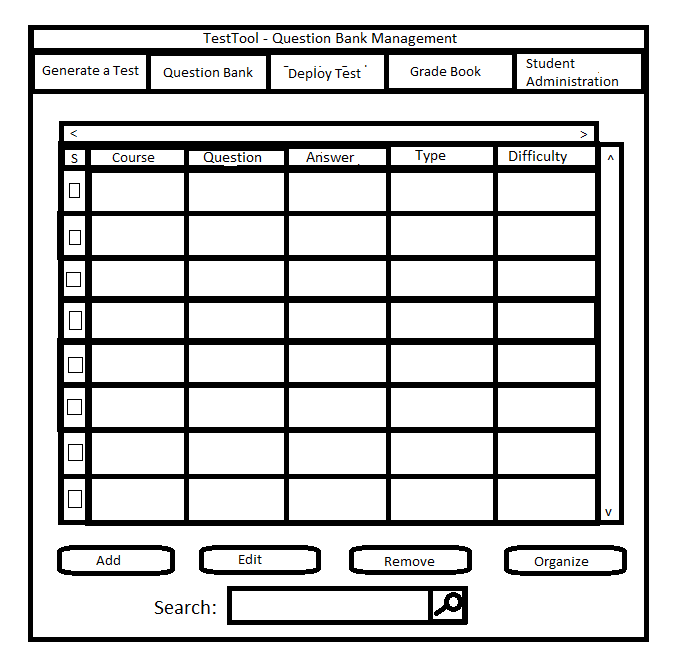
This shows a scenario in which the user is reorganizing the question bank. The reorganization allows the user to select which properties of questions they
see in the main question bank window (see Figure 2.3.1)
Once the user clicks the "Reorganize" button on the main GUI, a dialog box similar to Figure 2.3.35 below will appear.
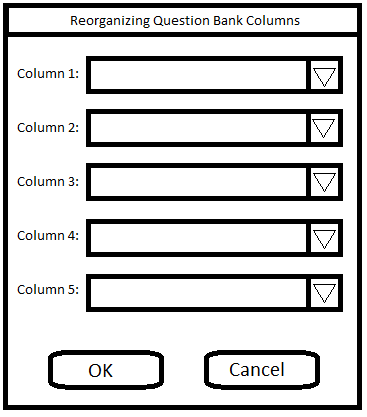
Figure 2.3.35: The reorganization dialog
Once this window appears, the user then selects the five properties of the questions they want displayed in the first five columns in the question database. As shown in
figure 2.3.36 below, the user has chosen the questions to be displayed in the following order:
Type, Author, Course, Answer, Difficulty
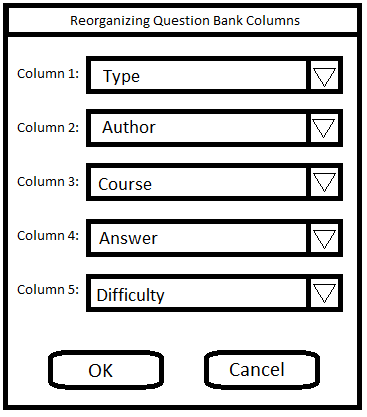
Figure 2.3.36: The five selected columns in the dialog
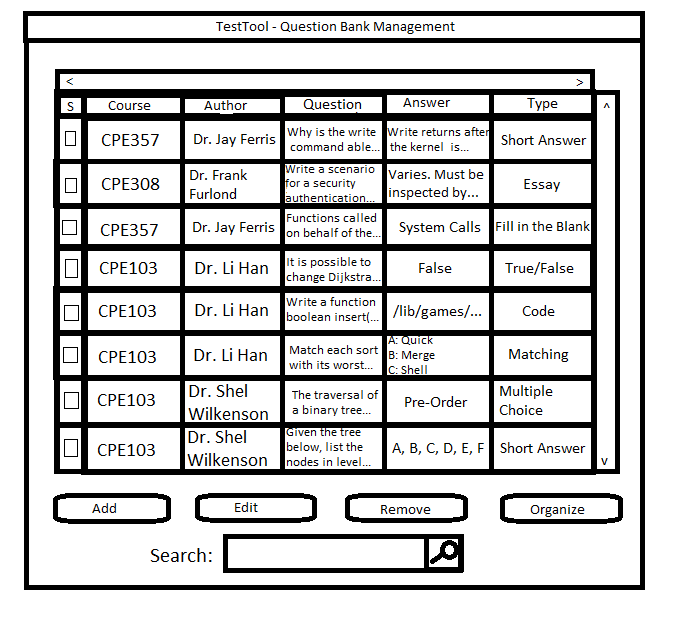
Once the user clicks "OK", the first five columns are swapped with the chosen columns in the chosen order as shown in figure 2.3.37 below. The question property columns are
now reorganized according to the 5 newly chosen properties, as opposed to the default values shown in previously. The column ordering is
also saved to a file so reorganizing doesn't have to be done at every startup.
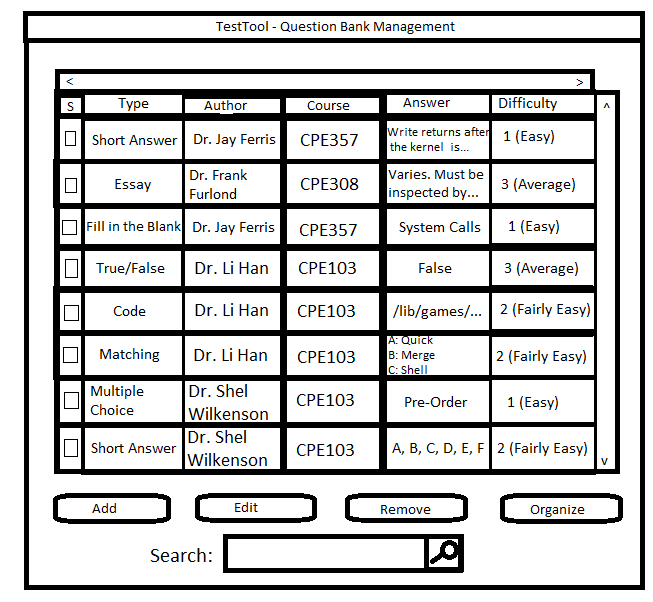
Figure 2.3.37: Reordered columns in the question bank
Prev: questionbank-remove
| Next: questionbank-sort
| Up: question bank
| Top: index