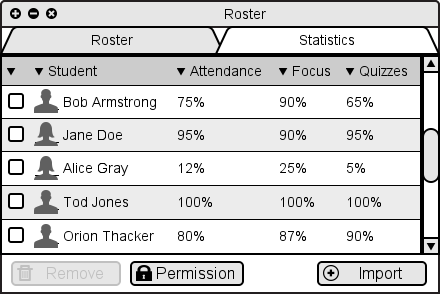
Figure 2.7.1: Roster window.
Whereas the participants window (introduced in the previous section) is used to display and manage students in an active E-Class session, the Class Roster is used to edit class enrollment and other persistent class management.
To open class roster window, the instructor opens the Manage menu bar item from the main window, and then selects the Enrollment option. The class roster window opens, as shown in Figure 2.7.1.
Figure 2.7.1: Roster window.
To view individual student statistics, the instructor clicks on a Satatistics tab. This brings a list of students in the left side of the screen. Clicking on a student in this list brings the selected student's statistics into view on the right side of the window, as shown in Figure 2.7.2.
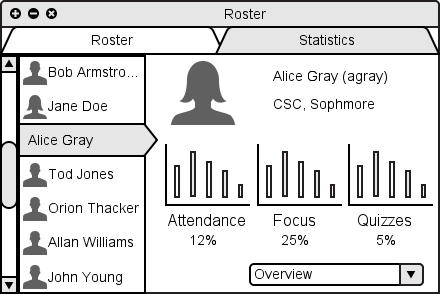
Figure 2.7.2: Roster stats overview.