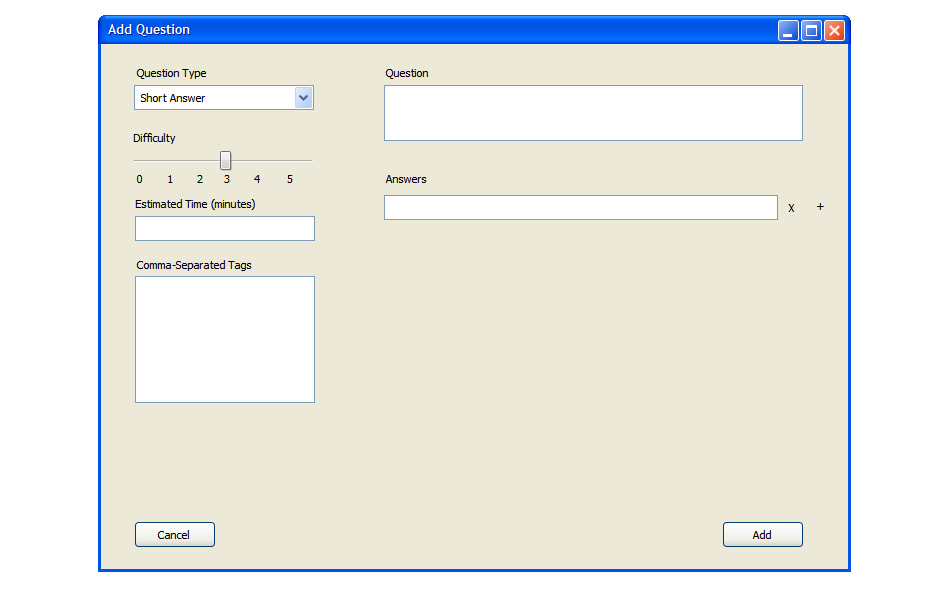
When the user selects 'short answer' from the 'Question Type' drop down menu, the screen will change
to reflect the screen shown in Figure 16. There is a field for a question and fields for up to 25 answers. A short answer question,
in this context, is any question that has at least one acceptable short answer. The user can enter a question in the 'question'
box, and then enter all the acceptable answers in the fields below as needed. The students answer need only to match n number of
these answers, where n is a number between 1 and the max number of available answers. n is set at test creation. This question type
is good for questions like "Name 3 types of..." where there are 3 or more possible answers. The user can use this question type
if there is only one answer accepted by providing only one answer on this page. Anywhere from 1 to 25 answers is entered by the user
on this screen. To add an anwer, the user clicks the '+' symbol next to the last answer. To delete an answer, the user clicks the 'X' symbol
next to it. An example is shown in figure 17.
Figure 16: Screen showing short answer question.
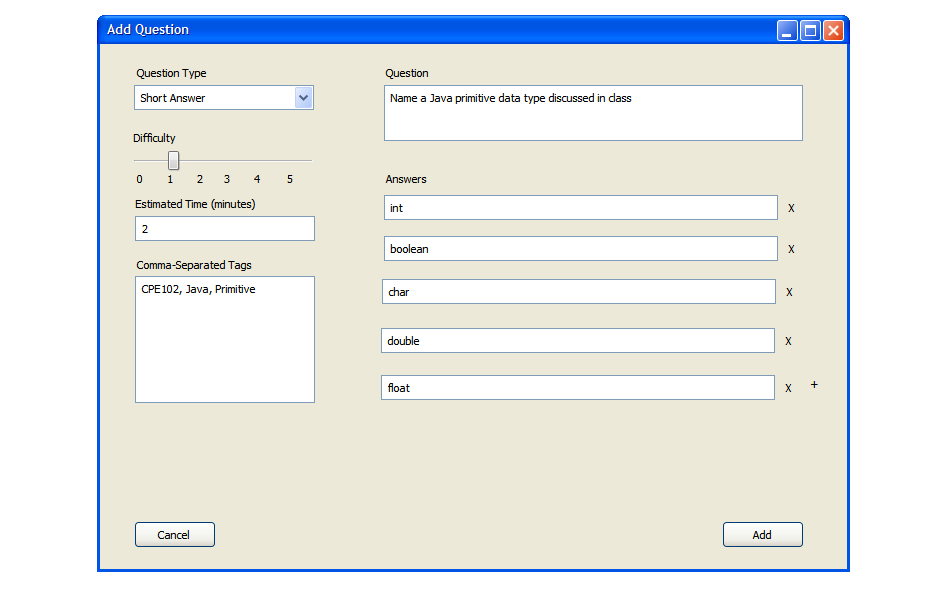
Figure 17: Screen showing a completed short answer question. Any of the provided answers are acceptable answers to the question.