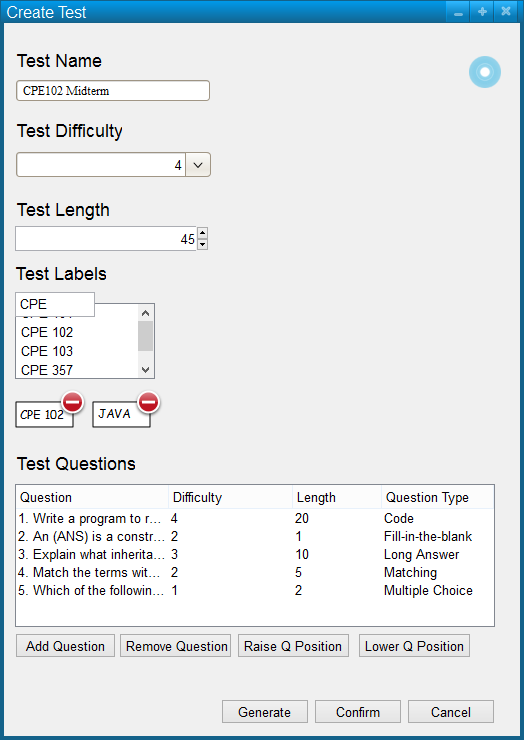
The scenario in this section illustrates an individual user editing a test.
When the user selects Edit Test from the Manage Tests menu, the system displays the dialog shown in Figure 8.
Figure 9 shows an existing test.
Figure 9: Edit existing test dialog.
The user may alter name, difficulty, length, and labels.
The user may raise and lower question positions using the raise question and lower question buttons, respectively.
The user may remove a question by selecting a question from the list and pressing remove question.
Adding a question opens the question bank dialog as shown in Figure 10
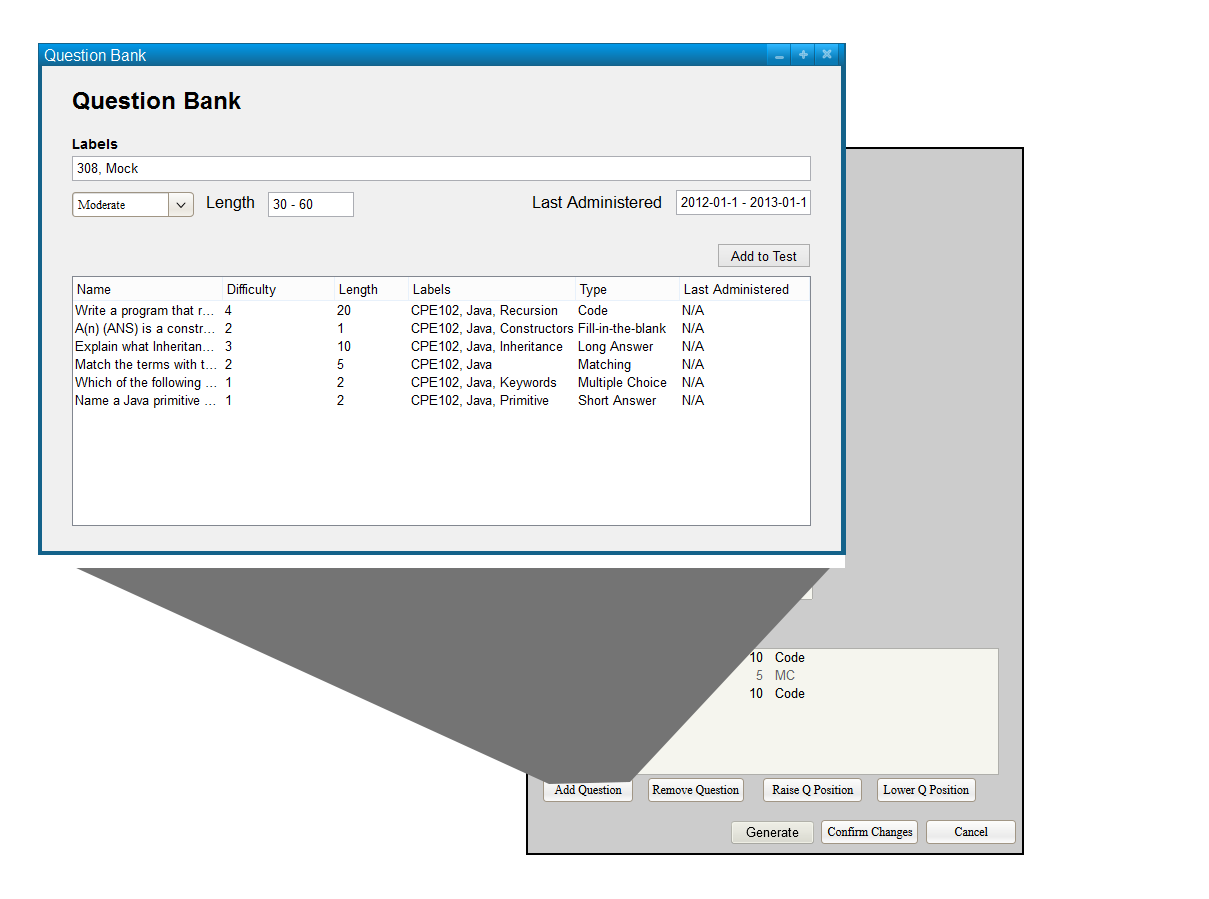
Figure 10: Adding a Question to The Test Dialog.
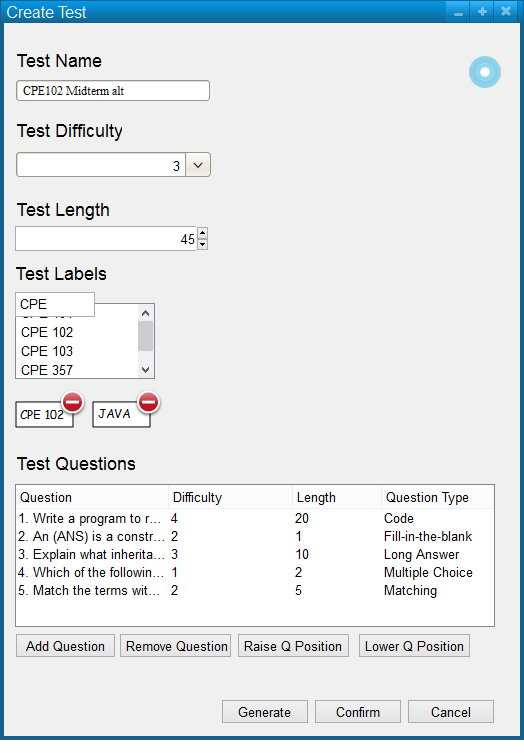
Figure 11: Edited Test Dialog.
Confirming changes to the test will return the user to the manage tests menu and the selected test will be updated.