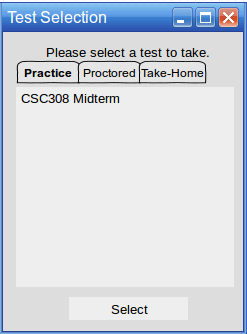
This scenario shows an individual student beginning to take a test. Taking a test is the most used function of the Test Tool for students. In this scenario, we will assume that the student is taking a properly scheduled test.
The user may choose from a list of currently available tests in a list. To take a test, the user must select a test and click the Select button.
Figure 1: Test Selection Dialog.
The tests are displayed under three tabs, each corresponding to a different type of test that can be taken. The types are Practice, Proctored, or Take Home. All three types use the same interface for taking the test.
A Practice test can be taken as many times as needed and does not actually favor into the user's grade. The user can take practice tests from home and receive immediate feedback.
A Proctored test is administered in class and under class conditions. Students take the test in class and are monitored during the proctor during its administration.
A Take Home test can be taken from the user's computer of choice. It is an open-note exam that factors into the user's grade.
If the user clicks on a tab, the test list displays all of the currently available tests that can be taken for that category.
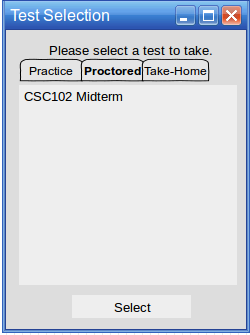
Figure 2: Test Selection Dialog with the Proctored tab selected.
When the user clicks the Select button, the test taking begins and the user is taken to the first question of the test.