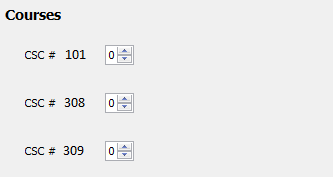
Figure 1: Course Sections Chooser
Each quarter at Cal Poly, there is not only different courses being offered but also a different number of sections being offered of said courses. Our application allows this functionality on the Choosing Resources UI context panel. The idea behind keeping this separate from the course database is to prevent extra removal and addition of courses. This is contained in the second half of this context panel and the general view is shown below.
Figure 1: Course Sections Chooser
An administrative user chooses how many sections of each course are offered for a given term schedule. For the effect of a course not being offered during a term, the administrative user simply puts '0' for the amount of desired sections. Each course is set to zero sections by default. These course sections amounts are reflected on warnings during manual scheduling and are be properly scheduled during automatic scheduling. To create 3 sections of the first course, 0 sections of the second course, and 1 section of the last course the user adjusts the spinners or types into the text fields until the desired result is achieved, as shown below.
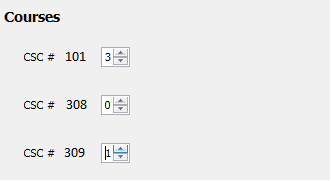
Figure 2: Course Sections Chooser (cont.)