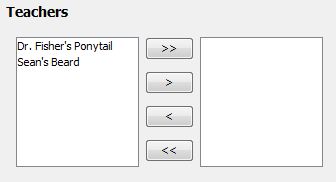
Figure 1: Teacher Chooser
Teachers can't teach a given term for various reasons, whether it be vacation or personal. Just like with rooms, our application has a term and permanent database for the teacher resource. This is handled on the bottom of the Choosing Resources context panel. It is handled in an attribute chooser as well. The left list of the Attribute Chooser is inactive teachers. The right list of the Attribute Chooser is the active teachers. By default, all teachers are inactive when creating a new term schedule. This is shown in the initial layout below.
Figure 1: Teacher Chooser
Here, only two teachers are listed in the permanent database: Dr. Fishers's Ponytail and Sean's Beard. If Dr. Fisher's Ponytail took a term off for vacation, the scheduling user leaves that resource in the inactive list. This is shown below.
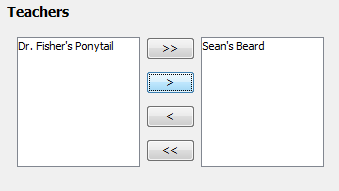
Figure 2: Teacher Chooser (cont.)
For a thorough tutorial of the Attribute Chooser and how all of these buttons work, please see the subsection located towards the bottom of this page.