2.3.2. Search Questions
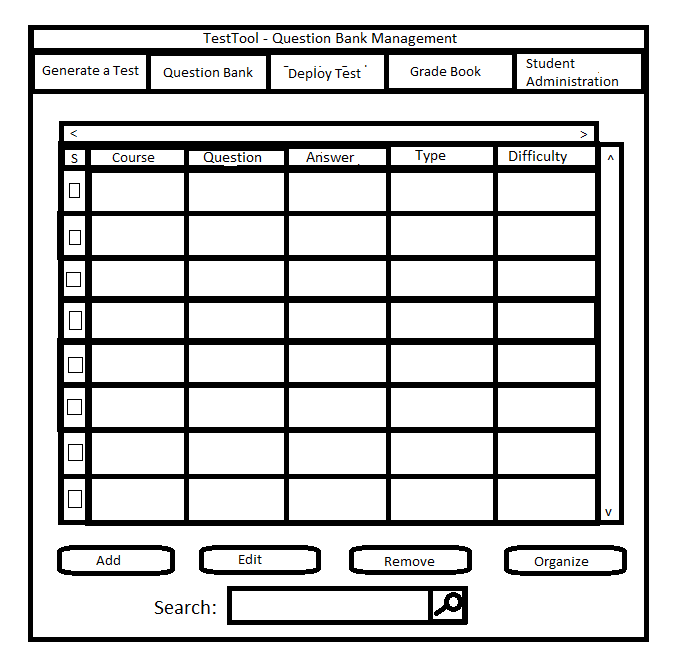
A user is able to search the Question Bank by inputting his query into the search box at the bottom
of the main GUI (Figure 2.3.1). As an example, the user
has inputted "write" as his query as shown below in Figure 2.3.30:
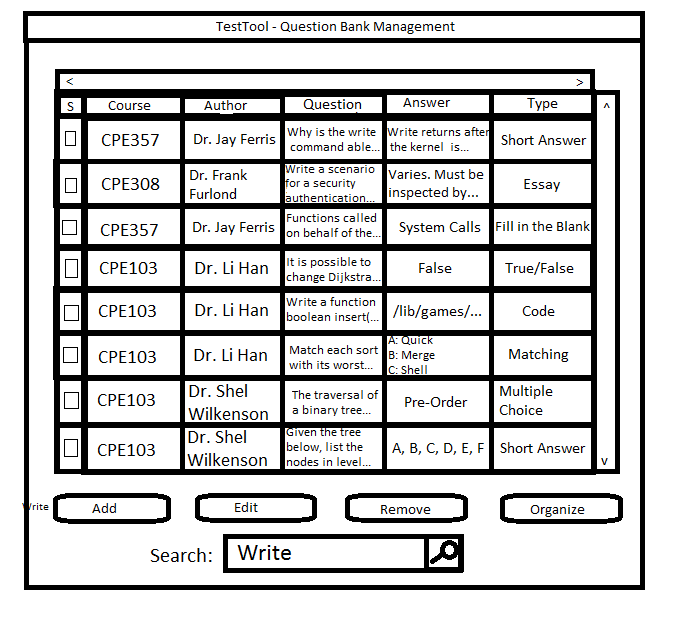
Figure 2.3.30: A Query Inputted into the Search Box
Once the user clicks the search button (indicated by the magnifying glass) or presses "Enter" on his keyboard, the Test Tool begins to search the Question Bank for questions that contain the word "write"
somewhere in one of the sections of the question. The Test Tool then filters the questions in the bank so that only questions returned by the search are displayed. This functionality is depicted
in Figure 2.3.31 below:
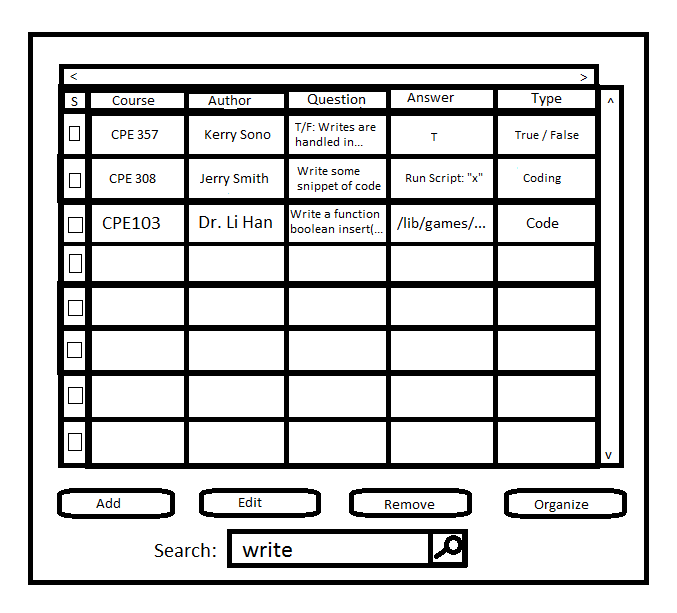
Figure 2.3.31: Questions Returned by the Search
Once the search is complete, the user can access the questions returned and perform any valid actions on them.
Prev: questionbank-add
| Next: questionbank-remove
| Up: question bank
| Top: index